
One control layer for the whole inventory flow
Not a forecasting tool and not a black box. Horizon watches how adequate the stock of every product in every location actually is, and adjusts orders, transfers and targets the moment reality moves — under rules your managers set and see.
Zones & Decisions: every product gets a clear status and a next action
Nobody can review thousands of order lines a day — and nobody should. Horizon classifies every product at every location into a zone. Green means leave it alone. Everything else comes with the action already attached: order, expedite, transfer, promote, stop buying or clear out.
The goal is simple: keep every product in the OK zone for as long as possible — with the ordering rules in management's hands, not hidden inside an algorithm.
Three ways to run ordering — and what each one costs
Manual ordering
People check stock and guess — shaped by habit, supplier pressure and fear of blame. Fast movers over-bought, slow movers forgotten.
Up to 20% of sales lost
Forecast min-max
Averages projected forward: late when sales rise, late when they fall — and a stockout teaches it to order even less. Staff still review every run.
Up to 12% of sales lost
Horizon — Adequate Inventory
Targets respond to real stock adequacy per product and location: up the moment stock runs thin, down when it lingers. No black box — every rule visible.
Up to 99.5% availability, 20%+ better turns
Horizon · Dashboards · Assortment · Outlet
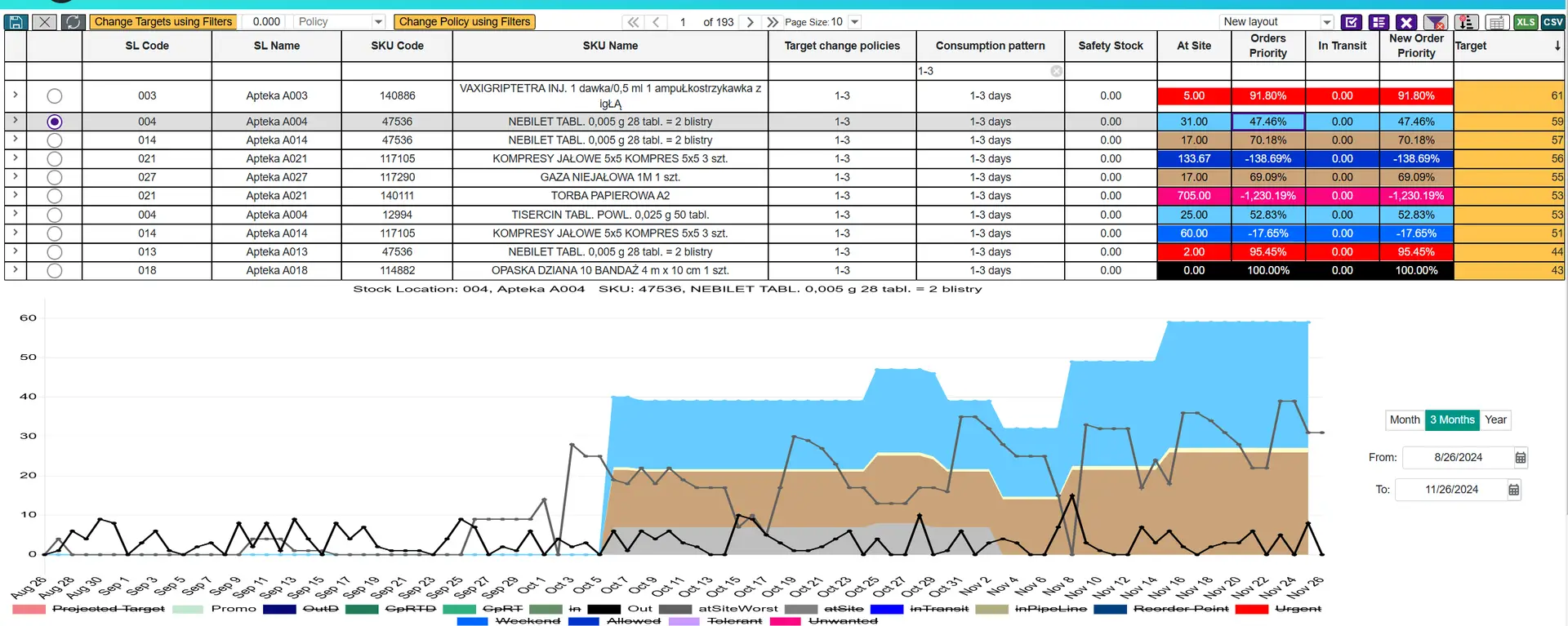
Horizon — automated ordering
Orders generated on schedule, right-sized to demand, pack sizes and shelf capacity. Your team reviews flagged exceptions — minutes, not hours. Immune to rep pressure; the same rules in every location.

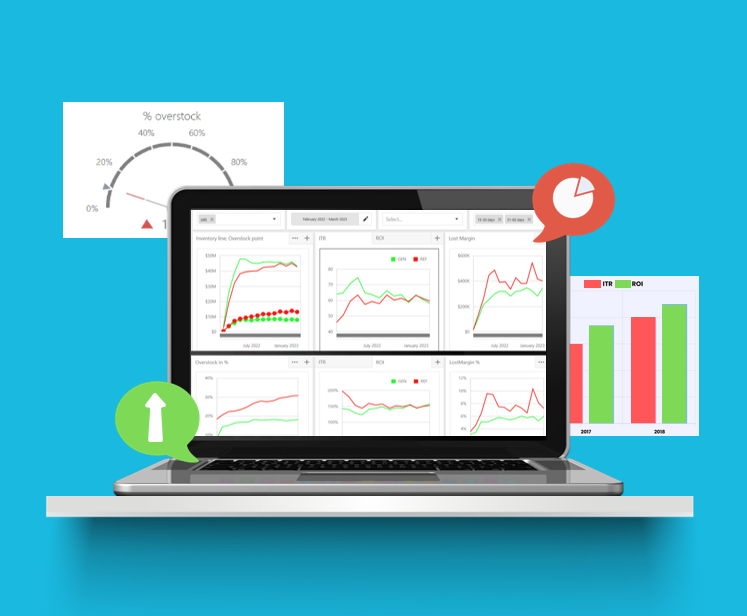
Dashboards — from number to action
Focusing reports for management: Performance, Lost Sales, Overstock, Expirations and Stock Age — from the trend down to the exact products that need action today.
Almost no system keeps the full history of lost sales and overstock. Horizon does — day by day, at every level: store, warehouse, supplier, category, SKU. You see whether things are actually improving, not just today’s snapshot.

Assortment — shelf space that earns
Ranks products per point of sale, keeps winners available, and clears long-term unsold items out of valuable space. Head of assortment grows, tail shrinks — measurably.
Promotions — both ends under control
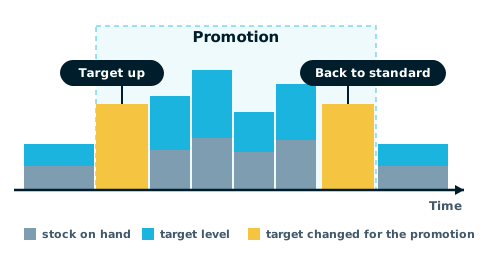
Allocation follows real sell-through during the promotion so shelves don’t empty mid-wave — and ordering steps back down when it ends, so there is no overstock mountain after. No lost sales during, no leftovers after.
18 technologies, organized the way your flow works
Every technology below was built because a real client’s flow needed it — and they all read from the same Zones & Decisions core.
Stage 01 — Order the right amounts
Adequate Inventory
Targets that follow real stock adequacy — up when thin, down when lingering. The engine of everything.
Orders Center
Scheduled, rule-driven orders with exceptions, supplier calendars and pack-size logic.
GAP Replenishments
Fast corrective orders when reality jumps ahead of the schedule.
Weekends & Holidays
Builds stock up before weekends and holidays so peak days don’t end in lost sales — and steps back down right after.
Biddings
Supplier bidding tied to real requirement quantities, not gut-feel volumes.
Stage 02 — Balance the network
Redistribution
Finds out-of-stock here / excess there and creates transfer lists before new purchasing.
Return to Warehouse
Pulls slow stock back to the center where it can serve the whole network.
Deficit Management
When supply is short, allocates it where it protects the most sales.
Warehouse Loading Balancing
Equalizes picking lines day by day, by priority — a steady workload instead of Monday mountains and idle Fridays. Proven at 100,000 lines/day.
Stage 03 — Control the risk
Expiration Management
Expiry risk flagged months early: transfer, promote, return or discount — in that order.
Clearance Management
A deliberate markdown and liquidation flow for what rules can no longer save.
Stage 04 — Execute commercially
Promotions
No lost sales during the promotion, no overstock after it — allocation and ordering adapt through the whole wave.
Assortment Management
Winners prioritized per store, long-term unsold removed — shelf space earning again.
Outlet
Sell-out by a chosen date: calculates how much to reduce the price and what to redistribute so the stock is gone on time — with the least margin given away.
Stage 05 — See and steer
Focusing Dashboards
Performance, lost sales, overstock, expirations and stock age — trend to SKU-level action.
General Director Dashboards
The whole flow on one management screen, including cash tied in stock.
KPI & Measurements
Teams, suppliers and categories measured by outcomes: turns, fill rate, lost sales.
Custom Reports
Any view from the data cube, adapted to your KPIs, fast at any volume.
Which technology moves your numbers first?
The free demo — starting with a real simulation on your data — ranks your improvement potential, so the project starts where the money is.
Glossary of terms →Or estimate the value first — Value Calculator →