
Work with your real inventory numbers for two months. Free.
You connect your data, we turn on the reports, and your team starts using them. In parallel we analyse your history and show you what it is costing.
Monitoring and diagnostics
Two things run at the same time: your team works with operational reports on live data, while we analyse your history and find what is causing the losses.
Operational reports your team acts on
Purchasing sees what is missing today and what it is worth. Category managers see what is over-bought and where it can be moved instead of discounted. Logistics sees what will expire before it sells. Management sees whether any of it is improving.
Our consultants work with your people so the reports turn into daily decisions — that is where the first gains come from, before anything is automated.
Your history, and what it cost you
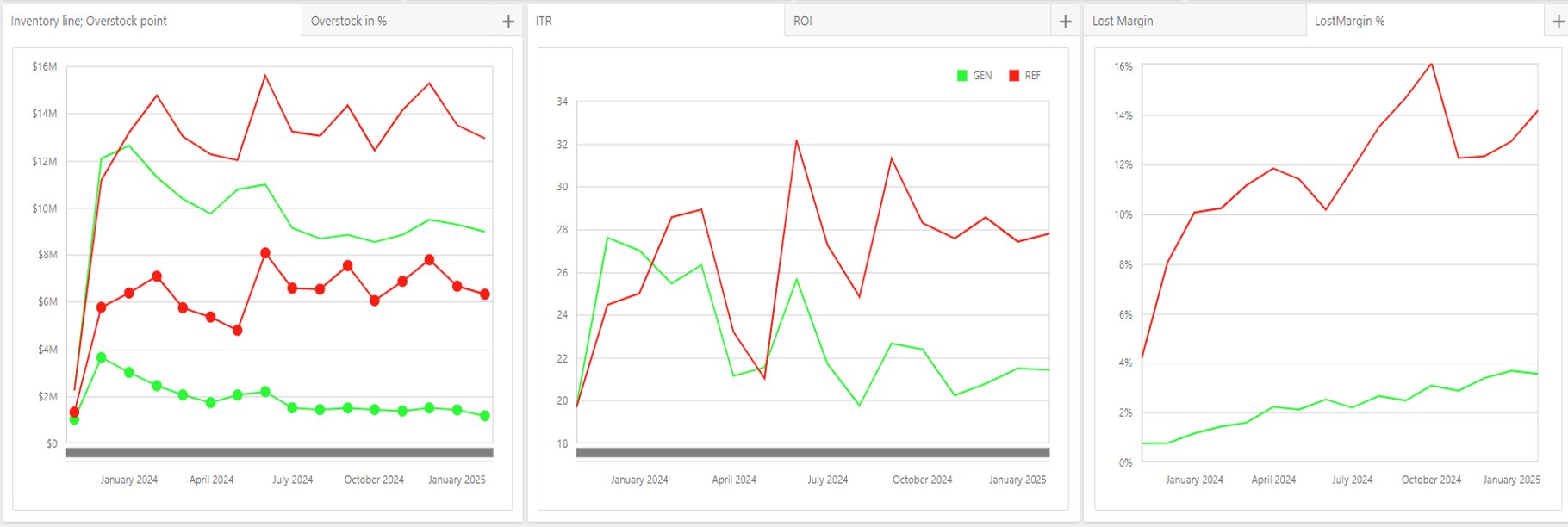
We take a one-time load of your history and reconstruct it day by day: the sales you lost to empty shelves, the cash frozen in stock that was never going to sell, the products that aged out — and the ordering behaviour behind each of them.
Then we replay the same period under Horizon’s rules and present the difference, with examples from your own products.
The same product. The same sales. Less of your money.
Day by day, by SKU, location and supplier. Almost no other system keeps this history.
How much stock is above what demand justifies — and what will never sell at full price.
The ordering habits, rules and lead times behind the numbers.
How the demo works
Signed before any data is exchanged.
A daily feed from your ERP through an adapter or API, plus a one-time load of history. Our consultants set it up with your IT.
The system runs without ordering. Our consultants work alongside your people.
In parallel, on your historical data.
The real issues and what they are worth — by then your team has been working with the reports for weeks.
Six views, and the exact products behind each one
Performance
Which suppliers, categories and locations are improving or getting worse.
Lost sales
What is missing now, what it is worth, and whether you already own it somewhere else.
Overstock
What to redistribute, promote, discount or return.
Expirations
Risk surfaced months ahead, while stock can still be moved.
Stock age
How long capital has been standing still, and where.
Your own questions
Custom reports from the same data.
See how the diagnostic works
Only if the numbers earn it
Demo — up to 2 months
Operational reports on your live data plus a diagnostic of your history. Free, read-only.
Pilot — 3 to 6 months
A limited scope with automation on: targets, automatic ordering, redistribution, promotions.
Full project
The rules, the ordering and the dashboards across the network.
Want the root causes found with your management team?
The Inventory Management Audit is a separate, paid engagement: three days on site, working through your out-of-stocks and overstock with the owner and top management, and giving a direction for each cause.
Questions people ask before starting
Is it really free?
What do you need from our side?
Does anything change in our stores?
How long until we see something?
Who should be involved?
What happens at the end?
Tell us about your network
We reply within one business day with the NDA and what the data feed needs.
Want the size of the prize first? Open the Value Calculator →
Or write to info@gutsaga.tech.